

Web application
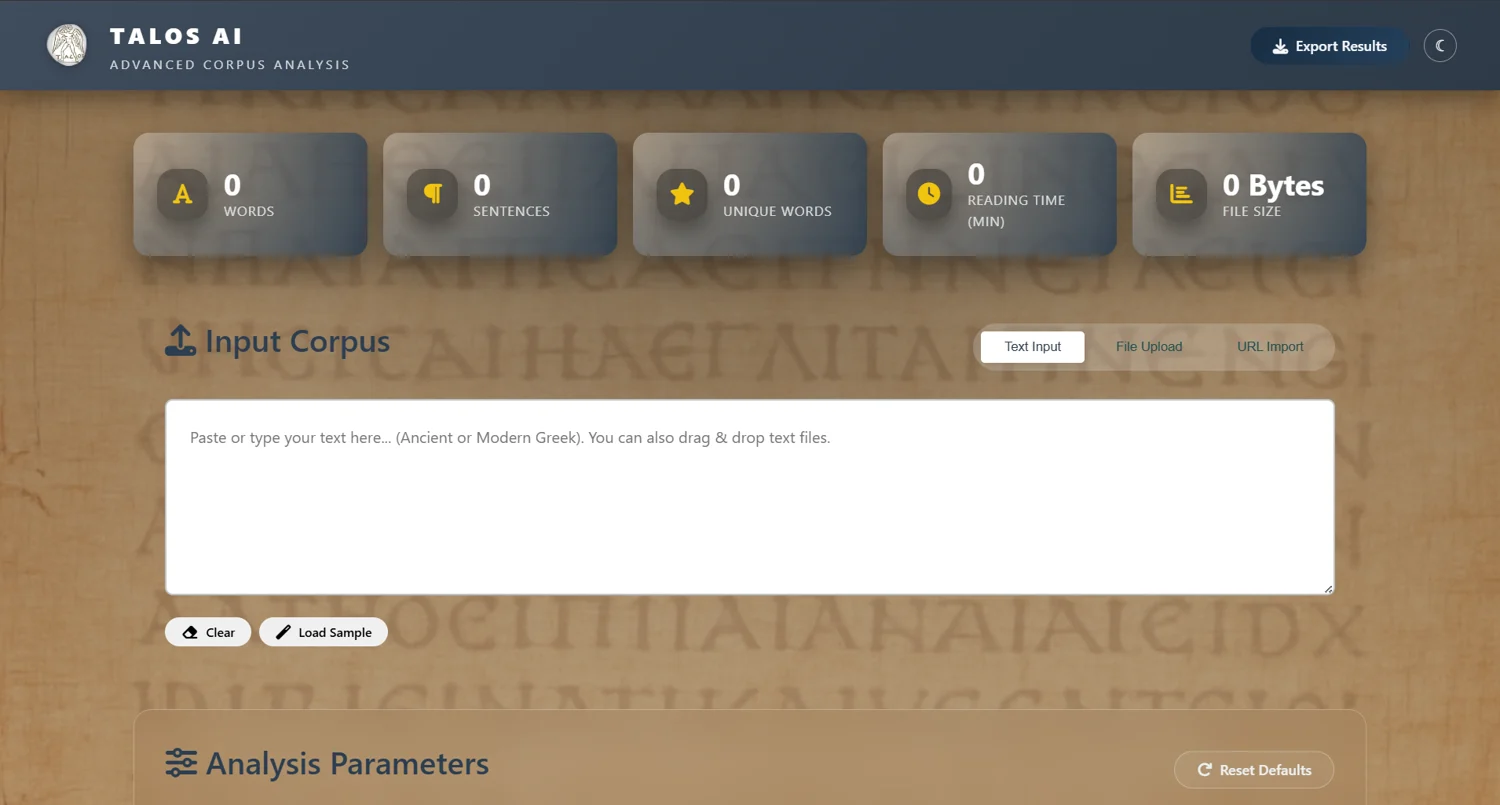
TALOS Text Analyzer
Explore Greek corpora through frequencies, collocations and networks, with model-assisted linguistic analysis.
The application opens in a new tab.

Tool guide
Work with Text Analyzer
On this page
A browser interface for Ancient and Modern Greek corpus analysis. Basic statistics and model-assisted annotations serve different purposes: deterministic counts describe the text; model predictions need scholarly checking.
Getting started
Load text or use Load Sample. Check the word and sentence counters, choose analyses and press Start Analysis. Stop Analysis halts a run. Export results when finished.
Providing a corpus
Paste text, upload TXT/PDF/DOC/DOCX/RDF/XML, or fetch a URL. “Extract text content only” removes web markup. Scanned documents need OCR before text analysis. URL imports and model-backed features involve network services.
Basic analysis
Word frequencies, co-occurrence networks, collocations and keyword lists provide a starting point. Inspect the text and tokenisation before interpreting a pattern.
Model-assisted analysis
Named entities, part-of-speech tags, sentiment and topics are predictions. Validate a sample manually, especially for Ancient Greek, and record the model and settings used.
Pattern extraction
Run part-of-speech tagging first. Set up to five grammatical positions, leaving unused positions free, then choose Extract Pattern. Examples include ADJ + NOUN or DET + ADJ + NOUN.
Model settings
The supplied guide lists LLaMA 3.3 70B, LLaMA 3.1 8B and Kimi K2. Available models can change. Max Tokens limits response length; Temperature controls sampling. Start with a low temperature and a small corpus.
Exporting results
Use Export Results after analysis completes. Keep the input text, analysis options and model settings with the exported files to support reproducibility.
Troubleshooting
No results: confirm text is loaded and at least one analysis is selected. Slow model run: reduce the corpus or use a smaller available model. Variable predictions: lower temperature and review the outputs. Failed upload: verify the format and text layer.
Try an example
Try a small example · runs locally
Lowercase word forms, Unicode-normalised. Accents remain distinct; no lemmatisation or language model.
Tool information
- Developer
- Maria Schoinaki
- Documented version
- 1.0
- Application
- Web application
- Formats
- TXT · PDF · DOC · DOCX · RDF · XML
Licence & citation
The supplied tool documentation specifies PolyForm Noncommercial 1.0.0. It permits use, modification and sharing for permitted non-commercial purposes, with the required licence and notices retained. It is source-available, with a non-commercial restriction. Check the licence included with the version you use.
Citation
Schoinaki, M. (2026). TALOS Text Analyzer: AI Corpus Analysis (version 1.0). TALOS AI4SSH Laboratory, University of Crete. https://tools.talos-lab.eu/text_analyzer/frontend/Developed within TALOS AI4SSH, University of Crete, Horizon Europe grant agreement 101087269.
Visual sources
Logos and interface images are existing TALOS/tool-author assets, reused for this documentation. The screenshots show the documented interface; live versions may differ.