

Web application
SPARQL Query Endpoint
Ask reproducible questions of the laboratory’s published knowledge graphs. Inspect results and export them for analysis.
The application opens in a new tab.
Tool guide
Work with SPARQL
On this page
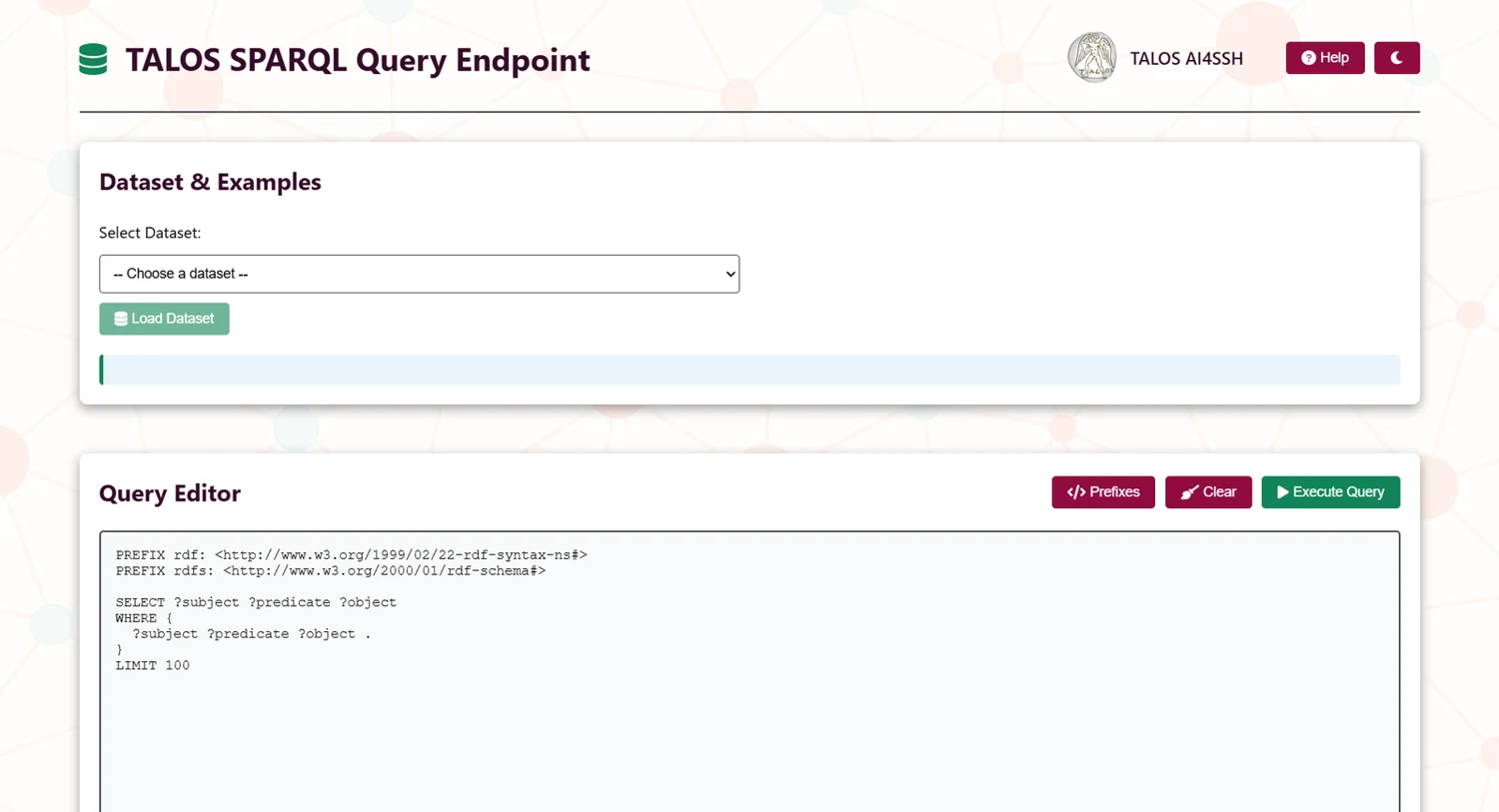
The interface sends SPARQL queries to published datasets on the lab’s OpenLink Virtuoso service. Query the selected named graph rather than assuming all datasets share one graph.
Quick start
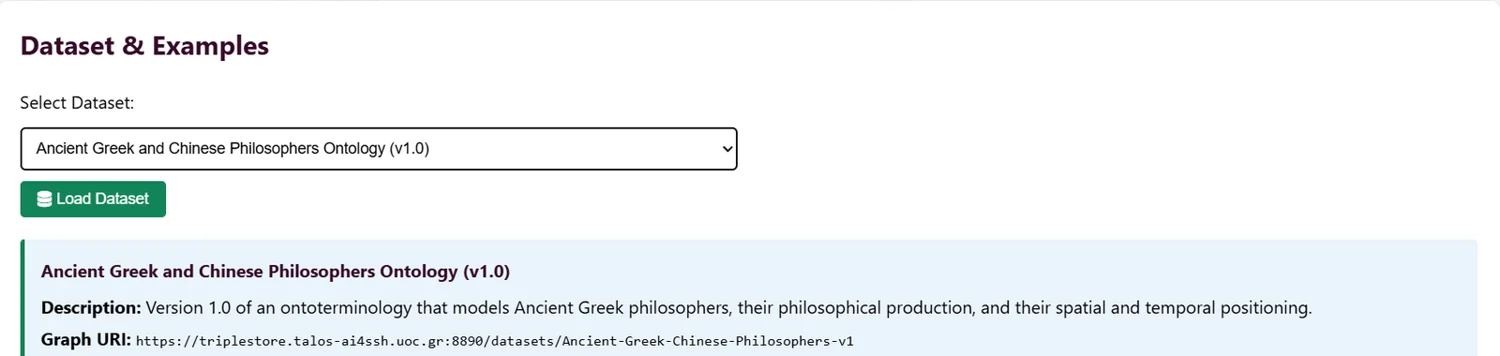
- Choose a dataset and load it.
- Load one of its example queries or write your own.
- Check the named graph IRI and run the query.
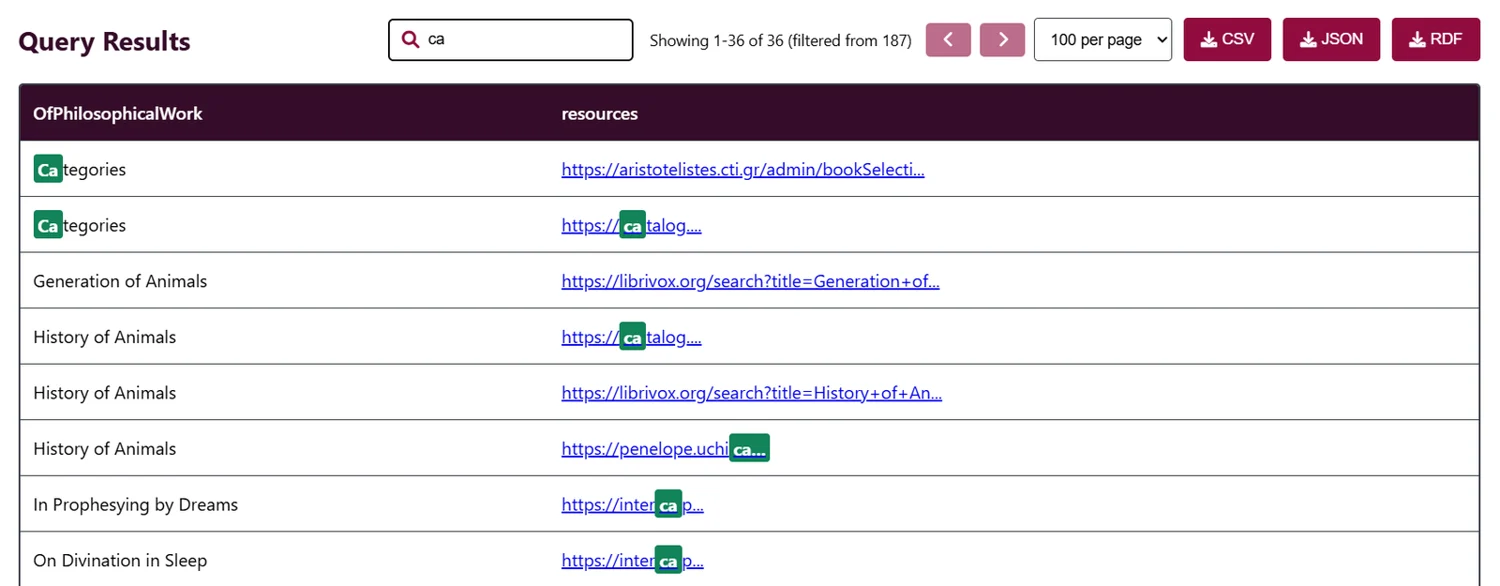
- Inspect, filter and export the results.
The interface
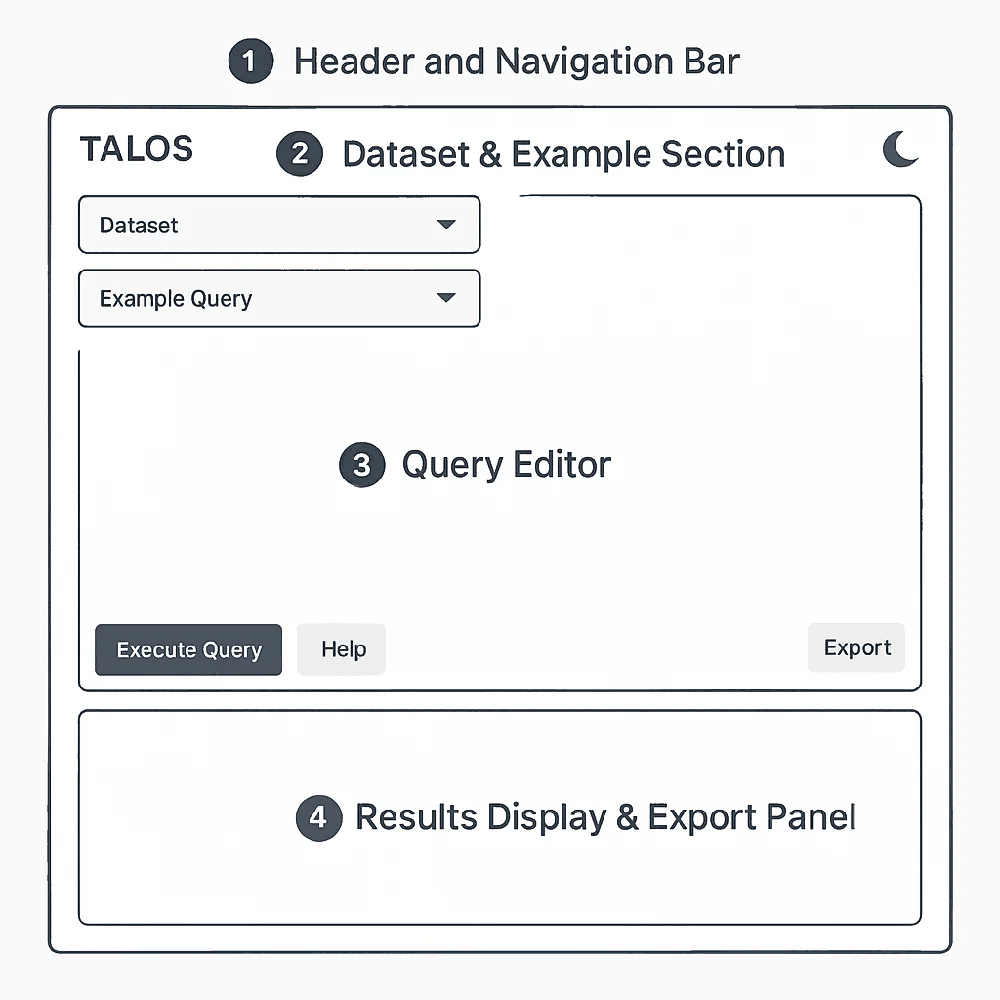
Dataset information, query editor, controls and results form the workspace. Prefix insertion and examples reduce repeated typing. Ctrl + Enter runs a query; Ctrl + / toggles comments.
Running queries
SELECT returns rows, ASK a boolean, CONSTRUCT triples and DESCRIBE a resource description. Begin with a small LIMIT, filter multilingual labels by language and avoid unnecessary OPTIONAL or expensive regex filters.
Template: replace the example graph IRI with the exact IRI shown for your loaded dataset.
SELECT ?subject ?predicate ?object
FROM <https://example.org/replace-with-loaded-graph>
WHERE { ?subject ?predicate ?object . }
LIMIT 100
Datasets & graph scope
The supplied documentation covers ALyrA, Göbekli Tepe, the Hellenistic world, LACRIMALit, Ancient Greek and Chinese Philosophers, Ancient Oratory and Legal Bodies in Classical Athens. Copy the graph IRI exactly. A mismatched FROM clause can be rejected before execution.
Results & export
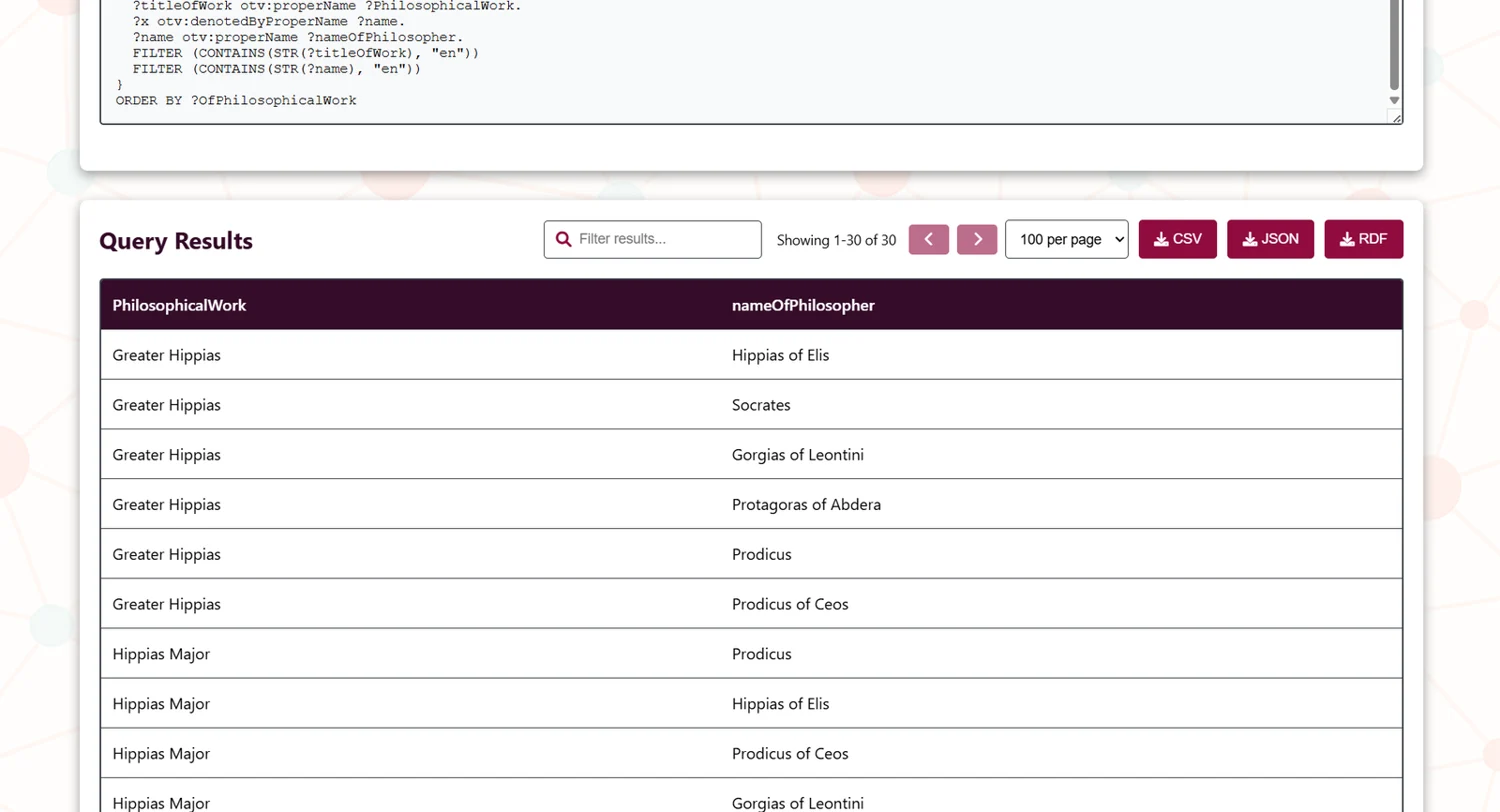
Browse the table with sorting, pagination and result filtering. Use CSV for spreadsheets, JSON for structured processing and RDF for semantic exchange. CONSTRUCT is the appropriate starting point when you need a graph result. Check the current filter before exporting.
Troubleshooting
Validation error: compare FROM with the loaded graph IRI. Empty result: relax patterns and language filters. Slow query: reduce the result limit and simplify joins. The in-app Help contains further syntax guidance.
Try an example
Choose a query shape
Syntax examples only. Replace the example graph IRI with the loaded dataset’s IRI in the live tool.
Interface in detail
Tool information
- Developer
- Maria Schoinaki
- Documented version
- 1.0
- Application
- Web application
- Formats
- CSV · JSON · RDF
Licence & citation
The supplied tool documentation specifies PolyForm Noncommercial 1.0.0. It permits use, modification and sharing for permitted non-commercial purposes, with the required licence and notices retained. It is source-available, with a non-commercial restriction. Check the licence included with the version you use.
Citation
Schoinaki, M. (2025). TALOS SPARQL Query Endpoint (version 1.0). TALOS AI4SSH Laboratory, University of Crete. https://tools.talos-lab.eu/sparql/Developed within TALOS AI4SSH, University of Crete, Horizon Europe grant agreement 101087269.
Visual sources
Logos and interface images are existing TALOS/tool-author assets, reused for this documentation. The screenshots show the documented interface; live versions may differ.