

Desktop application
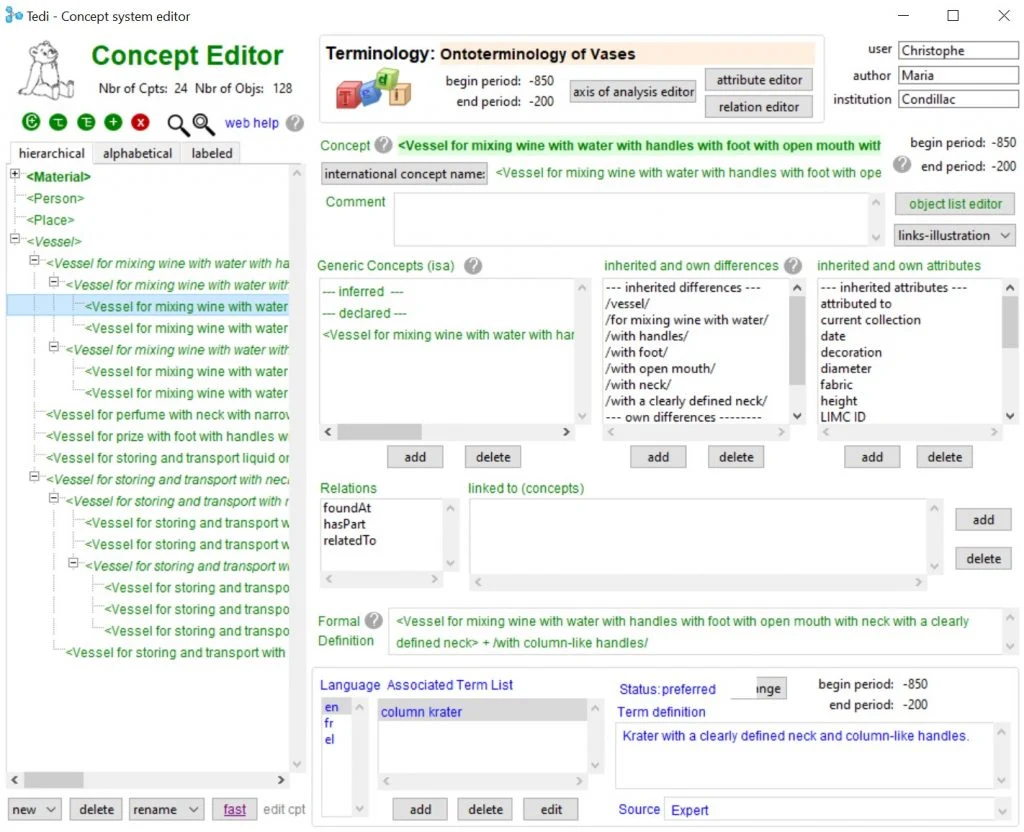
Ontoterminology Editor
Build a formal system of concepts. Connect it to independent term lists in multiple languages.
The application opens in a new tab.

Tool guide
Work with TEDI
On this page
TEDI connects terminology and ontology without making one language the source for all the others. Concepts form a shared formal model; each language has its own terms and definitions.
Getting TEDI
Download the desktop application from the official page and read its personal academic licence before installing. Introductory slides and video guides are available.
The conceptual dimension
Define concepts through essential and descriptive characteristics, then organise their hierarchy. Logical constraints guide construction, following the terminology principles of ISO 1087 and ISO 704.
The linguistic dimension
Each term denotes a concept. Terms in different languages that denote the same concept are terminological equivalents; terms in one language that do so are synonyms. No pivot language is required.
Four editors, one model
Terms denote concepts; proper names denote individual objects. TEDI keeps that distinction explicit.
Export formats
Keep .otb as the working format. Export RDF/OWL for semantic tools, HTML for readable dictionaries and object collections, SKOS for vocabularies, TBX for terminology exchange, OntoLex for lexicon–ontology exchange, and CSV for CmapTools.
Tool information
- Developer
- Christophe Roche
- Application
- Desktop application
- Formats
- RDF/OWL · HTML · SKOS · TBX · OntoLex · CSV · .otb
Licence & citation
TEDI uses a personal, non-transferable academic licence for non-commercial teaching and research. Redistribution and modification are restricted. Installing it accepts the licence, which also requires citation. Read the full terms for warranty, platform and other conditions.
Replace the citation placeholders with the release year and version you actually used.
Citation
Roche, C. (YEAR-OF-RELEASE). Tedi (version VERSION-NUMBER). Distributed freely by the University of Crete, Greece.Developed within TALOS AI4SSH, University of Crete, Horizon Europe grant agreement 101087269.
Visual sources
Logos and interface images are existing TALOS/tool-author assets, reused for this documentation. The screenshots show the documented interface; live versions may differ.